Serial port interface detection:What is serial port interface detection and why is it important?
Q: What is serial port interface detection and why is it important?
A: Serial port interface detection is the process of identifying and enumerating serial communication ports available on a computing device, including physical ports like RS-232 and virtual COM ports created by USB-to-serial adapters. It is important because many industrial, embedded, and legacy systems rely on serial communication for configuration, data acquisition, and device control. Without proper detection, software cannot open the correct port or apply the right settings such as baud rate, data bits, parity, and stop bits. Detection also helps avoid conflicts when multiple devices share similar drivers, and it enables hot-plugging scenarios where adapters are added or removed at runtime. In modern operating systems, this typically involves querying system APIs or device managers to list active ports, then verifying responsiveness through handshaking or test reads. Effective detection reduces deployment time, prevents silent communication failures, and ensures that critical devices such as PLCs, sensors, and modems remain accessible for diagnostics and control.
Q: How can I programmatically detect serial ports on Windows and Linux?
A: On Windows, you can use the SetupAPI functions to enumerate devices in the 'Ports' class, or query the registry under HKLM\HARDWARE\DEVICEMAP\SERIALCOMM. The .NET SerialPort class offers GetPortNames(), which returns an array of COM port strings. For more control, use CreateFile to open candidate ports and verify availability by catching errors like ERROR_FILE_NOT_FOUND. On Linux, serial ports appear as device files under /dev, such as /dev/ttyS0 for hardware UARTs and /dev/ttyUSB0 or /dev/ttyACM0 for USB adapters. The simplest approach is to scan /dev for entries matching ttyS*, ttyUSB*, ttyACM*, and ttyAMA*. For dynamic detection, use udev by opening a netlink socket and subscribing to subsystem 'tty'. Python's serial.tools.list_ports module abstracts both platforms and returns port names plus descriptions. Always handle permissions on Linux (e.g., dialout group) and consider that virtual ports may appear or disappear during runtime. Combining static enumeration with event-driven udev or WM_DEVICECHANGE notifications provides robust detection.
Q: What are common pitfalls in serial port interface detection and how to avoid them?
A: Common pitfalls include confusing virtual COM ports from Bluetooth or USB adapters with physical UARTs, leading to incorrect baud rate assumptions. Another issue is duplicate port names when multiple adapters use the same driver and are plugged in sequentially, causing the OS to reassign COM numbers differently each time. To avoid this, use hardware IDs (VID/PID and serial number) to map ports persistently. Permissions are another trap on Linux, where non-root users may not access tty devices; adding the user to the dialout group solves it. On Windows, some ports may be listed but not actually functional due to driver issues or being reserved by another process. Always attempt a low-level open with O_NONBLOCK or similar to check readiness. Timing matters: after plugging a USB-serial adapter, detection may fail if you query too soon; implement retries with delays. Also, beware of blocking reads during detection, which can hang your application. Finally, avoid hardcoding port names; always enumerate dynamically and allow user selection. Proper error handling and logging will make detection more reliable across environments.
Dialogue about
Common scenarios of "Serial port interface detection"
【Engineer】 I need to check if the serial port interface is working properly on this device.
【Technician】 Sure, which serial port are you testing? COM1, COM2, or a USB-to-serial adapter?
【Engineer】 It's a USB-to-serial adapter connected to COM3. I want to verify that data can be sent and received.
【Technician】 Alright, first let's confirm the device is recognized. Open Device Manager and look under Ports (COM & LPT).
【Engineer】 I see 'USB Serial Port (COM3)' listed. So the driver is installed.
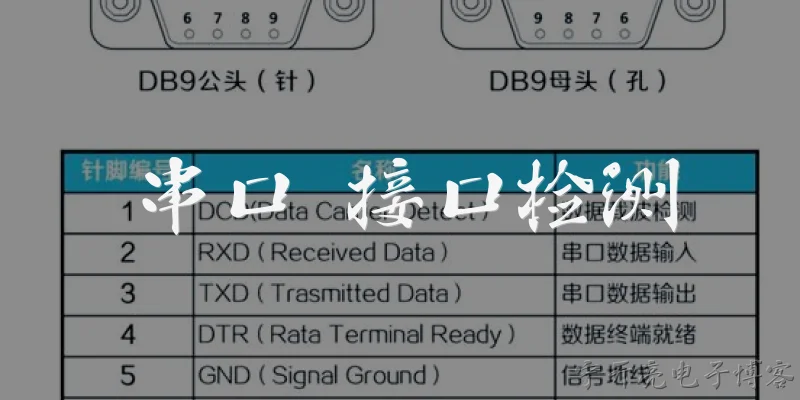
【Technician】 Good. Now we need a loopback test. Do you have a loopback plug or can you short pins 2 and 3 on the DB9 connector?
【Engineer】 I have a loopback plug. I'll connect it to the adapter.
【Technician】 Great. Next, open a terminal program like PuTTY or Tera Term, select COM3, and set baud rate to 9600, 8 data bits, no parity, 1 stop bit.
【Engineer】 Configured. Now I'll type some characters. Should they echo back?
【Technician】 Yes, with the loopback plug, whatever you type should appear on the screen. Try typing 'Hello'.
【Engineer】 I typed 'Hello' but nothing appears. The terminal shows no echo.
【Technician】 Check if the terminal is in local echo mode. If local echo is off, you won't see your typing unless it's echoed back.
【Engineer】 Local echo is off. I'll enable it and try again.
【Technician】 Now type 'Test123'.
【Engineer】 I see 'Test123' appearing. So the loopback works?
【Technician】 Yes, that means the adapter can transmit and receive. But we should also test with another device to be sure.
【Engineer】 I have a microcontroller board with a serial port. I'll connect it and send data from the PC.
【Technician】 Make sure the wiring is correct: PC TX to device RX, PC RX to device TX, and ground to ground.
【Engineer】 Connected properly. I'll send a command and see if the device responds.
【Technician】 What response do you get?
【Engineer】 The device replies with 'OK'. So the serial port interface is fully functional.
【Technician】 Excellent. That confirms both transmit and receive paths are working. You can now proceed with your application.